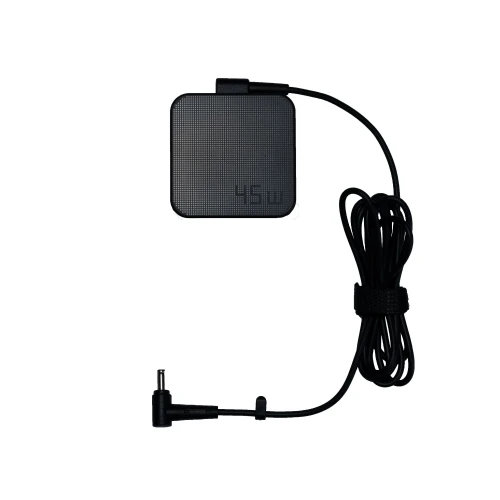
Details
Brand - Asus, Model - AD45-00C, DC Connector Size - 4.5mm, AC Input - 100~240V, 50/60Hz, 1.2A, Dc Output - 19.0V/2.37A, Total Output - 45W, DC Cable Length - 160 cm, Power Cord:90 cm, Color - Black, Product Condition - Brand New & Original, Warranty - 1-Year Brand Warranty (365 Days)
⚡ Laptop Adapter Buying Guide
Laptop adapters are very important for safe and stable charging. A good adapter keeps your laptop protected and ensures smooth performance. Choosing the right adapter helps avoid charging issues and hardware damage.
🔍 When should you replace your laptop adapter?
- Laptop is not charging properly
- Charging stops and starts again
- Adapter gets very hot quickly
- Cable or pin is damaged or broken
- Laptop shows “Plugged in, not charging” issue
- Charging light flickers or doesn’t turn on
🛒 What to check before buying a new adapter
- Model Compatibility: Make sure it matches your laptop model
- Voltage & Wattage: Always match the original adapter’s V and W rating
- Connector Type: Check the charging pin size carefully
- Quality: Choose OEM or high-quality adapters for safety and durability
- Warranty: Prefer adapters with warranty support
⚠️ Why choosing the right adapter is important
A wrong or low-quality adapter can damage your laptop motherboard, battery, and other internal parts.
🔌 Laptop Adapter Care Tips for Long-Lasting Use
- Avoid bending or twisting the cable
- Don’t pull the cable from the wire always unplug from the head
- Keep the adapter in a cool and dry place
- Avoid using it on unstable power sockets
- Unplug when not in use for long time
- Use a surge protector for extra safety
- Don’t cover the adapter while charging (prevents overheating)
💡 Extra Tips
- If your adapter heats up too much, stop using it and check immediately
- Regularly check for cable damage or loose connection